Python
Steganography
A desktop tool for hiding text messages inside images and extracting them again.
01 // SectionWhat it does
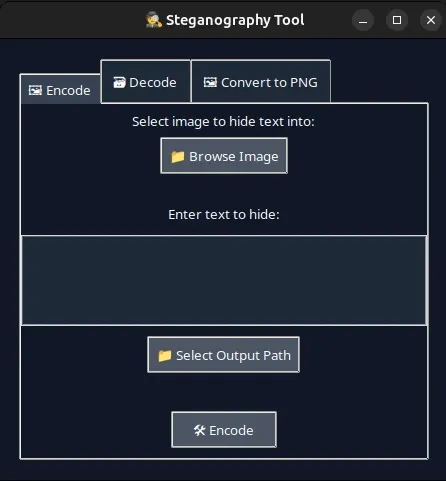
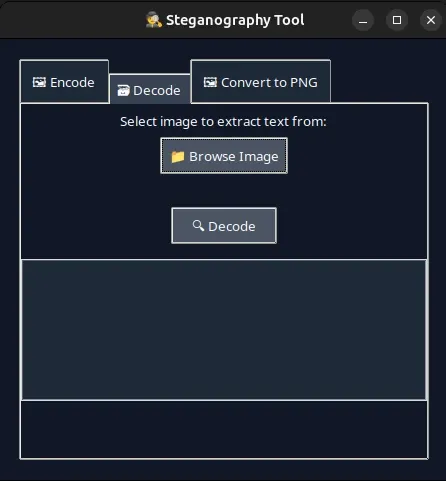
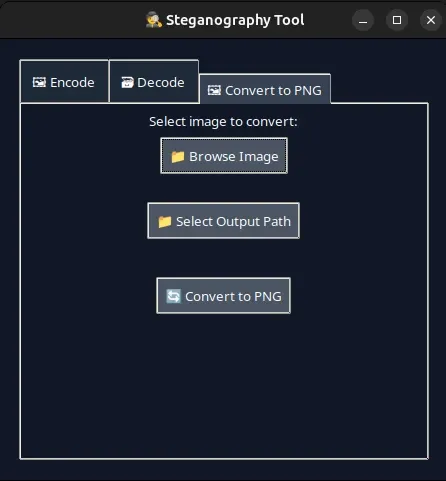
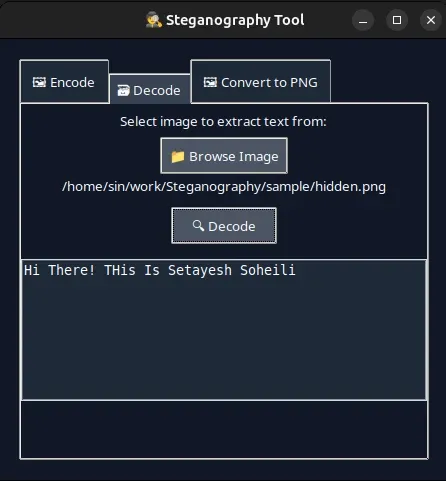
A desktop application with three tabs: hide a text message inside an image, extract a hidden message from an image, and convert JPEG or BMP images to PNG.
02 // SectionHow it works
Messages are embedded with the least significant bit (LSB) technique: the bits of the text replace the lowest bits of each pixel's colour values, so the output looks almost identical to the original.
Encoding is limited to PNG so processing stays lossless and images in other formats behave reliably; the conversion tab turns any image into PNG first.
03 // SectionStructure
The GUI is kept separate from the steganography logic:
main.py— launches the Tkinter window and connects the tabssteg_logic.py— text-to-binary conversion, embedding and extractiongui/encode_tab.py,gui/decode_tab.py,gui/convert_tab.py— one module per tab
04 // SectionWhat I learned
Building GUIs in Python, image processing with Pillow and NumPy, modular structure, and handling files carefully so outputs never overwrite inputs.
05 // SectionScreenshots
- Language
- Python
- Created
- 2025.02.11
- Updated
- 2025.07.21